
Help · schedule and test
Schedule an offer, use a private link, test before going live
Dates, customers and codes are under Visibility in the offer. To check the real price at checkout before shoppers see it, use Test this offer in More actions.
Last checked in the app on November 24, 2026.
Set the dates or a code
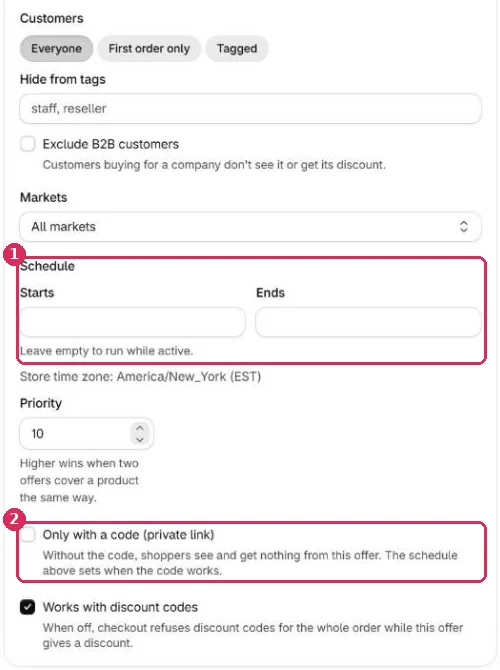
Open the offer and expand Visibility. Under Schedule (1), set Starts and Ends in your store's time zone; leave them empty to run while active. Only with a code (private link) (2) shows the offer only to shoppers with the code. Customers limits it to First order only or Tagged customers.
Publish or schedule
Click Publish. With a start date in the future the button reads Schedule, and the offer goes live by itself on that date.
Test the real price before it goes live
- A draft: View on store opens a preview only you can see. The cart there shows normal prices until you publish.
- To see the discounted price in the cart and at checkout on an offer that is not live yet: in the offer, More actions, Test this offer. Only your browser gets the offer's price; shoppers see nothing. The link works for 24 hours.
- Want it off later? Pause in More actions stops it, and the offer keeps its settings.
Read next
- Help centerAll help pages
- Discount codesCodes with offers
- Specific customersTags and first orders