
Set up BOGO, buy X get Y and free gifts
Same product free (buy 1 get 1, buy 2 get 1): a quantity break tier with Free units. A different product cheaper or free: Buy X get Y. A free extra with a tier: Add gift on that tier.
Last checked in the app on November 24, 2026.
Buy one, get one free (same product)
Choose BOGO
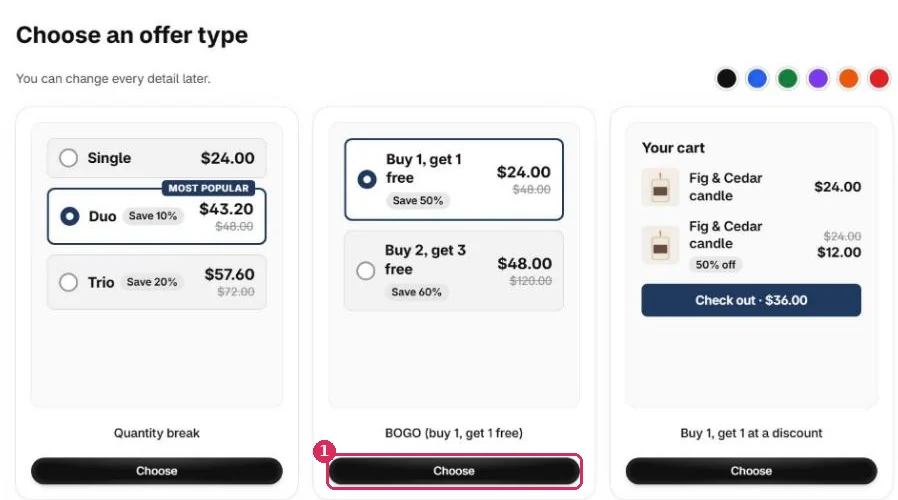
Click Create offer, then Choose under BOGO (buy 1, get 1 free) (1). Pick the product.
Set how many are free
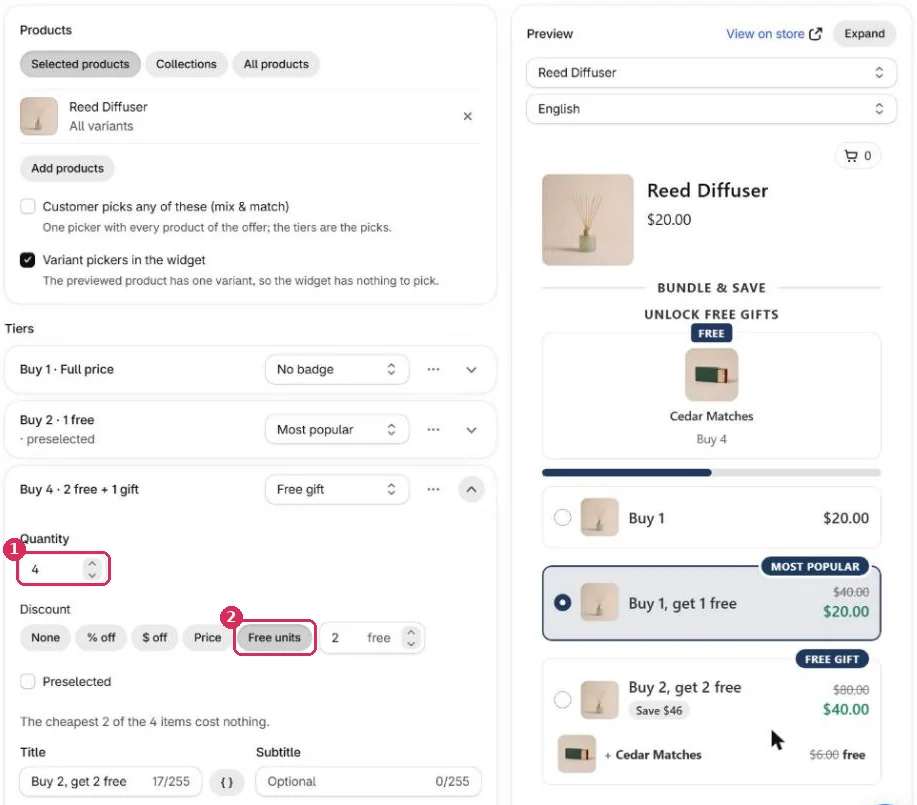
Open a tier, set Quantity (1) and choose Free units (2) with how many are free. The cheapest items of the tier cost nothing. Tick Repeat packs under the tiers to repeat the deal for bigger orders. Then Publish.
Buy X get Y (another product)
Choose Buy X get Y
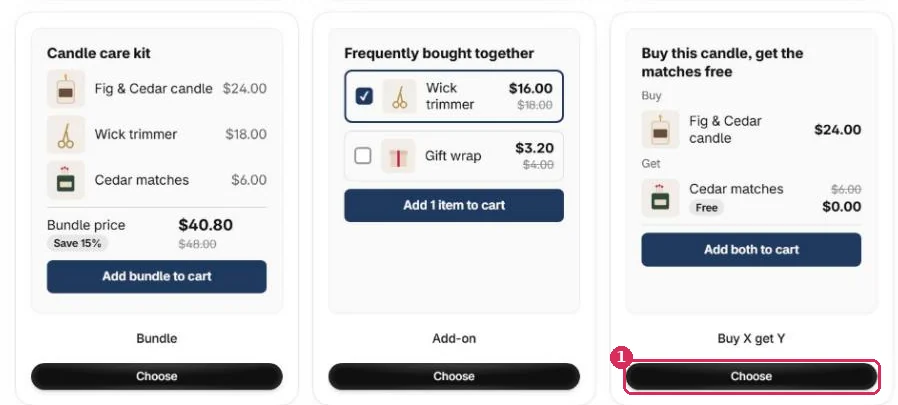
Click Create offer, then Choose under Buy X get Y (1).
Pick what they buy and what they get
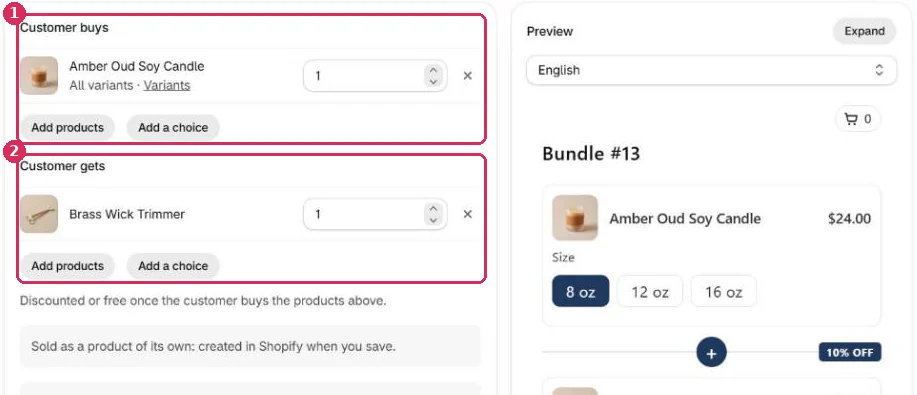
Under Customer buys (1) add the product they pay for; under Customer gets (2) the product they get. In the tier below, choose % off, a money amount off, or Free. Then Publish.
Free gift with a tier
In a quantity break, open the tier and click Add gift, then pick the product. It is added to the cart free when the shopper reaches that tier, and a gift with sizes or colors gets its own dropdown. The Gift ladder extra shows the gifts above the tiers.
- Buy X get Y is sold as a product of its own with its own page. To show it on the product's page, use a quantity break with Add gift instead, or turn on Also show on the pages of the products in these bundles.
- A gift for spending a cart amount, not a quantity: Cart gift in Choose an offer type. See free gift over a cart amount.
Read next
- Help centerAll help pages
- Quantity breakTiers, prices and badges
- BOGO offersExamples