
Create a product bundle
A bundle sells a set of different products together at one discount, like a candle care kit. It is sold as a product of its own, with its own page, and can also show on the pages of the products in it.
Last checked in the app on November 24, 2026.
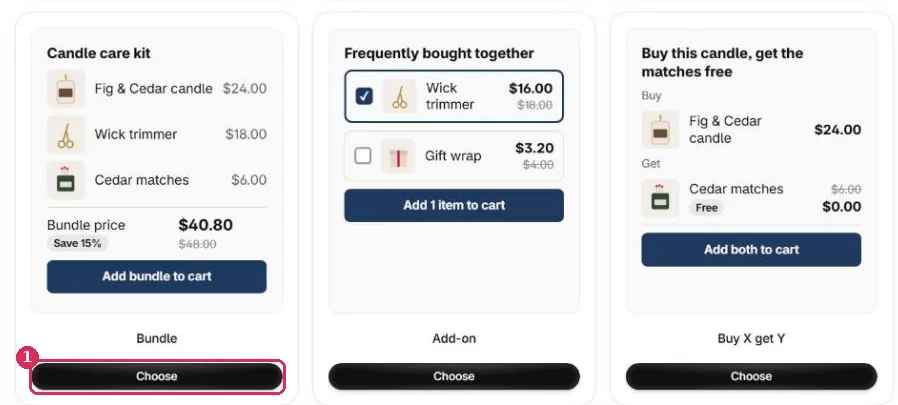
Choose Bundle
Click Create offer, then Choose under Bundle (1).
Add the products
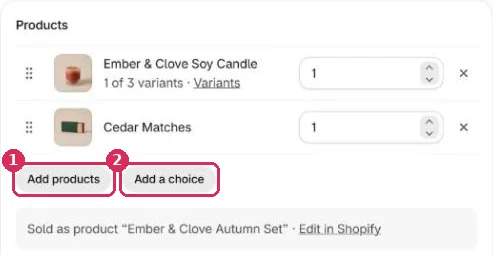
Click Add products (1) and set how many of each. Add a choice (2) adds a row where the shopper picks one of several products.
Set the discount and publish
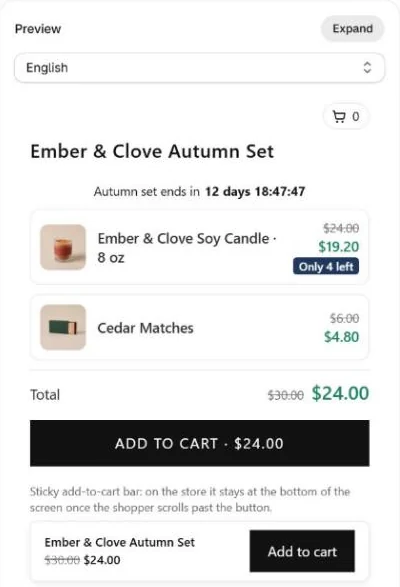
Under Tier, choose % off, a money amount off, or Price for the whole bundle. Name it under Content. Click Publish. The preview shows the bundle as shoppers see it.
Show it on the products' own pages
Under Show together with, tick Also show on the pages of the products in these bundles. Shoppers then pick the product alone or the bundle on that product's page. Tick other bundles in the same list to show them side by side, cheapest first.
- Each shopper picks a size and color per item. More: sizes and colors per item.
- Stock: see bundle inventory.
Read next
- Help centerAll help pages
- Product bundlesExamples
- Buy X get YA product free with another