
Set up Happy Bundle in your theme
One switch in your theme editor shows your offers on your store. Here it is step by step, with a picture of each click. Nothing is added to your theme's code.
The shortcut: from the app, in two clicks
If your offers are not showing yet, Happy Bundle's Home page says so and opens the right place in your theme editor for you.
Click Activate in Happy Bundle
Open Happy Bundle. The yellow card "Your offers aren't showing on your store yet" has an Activate button.

Check the switch and click Save
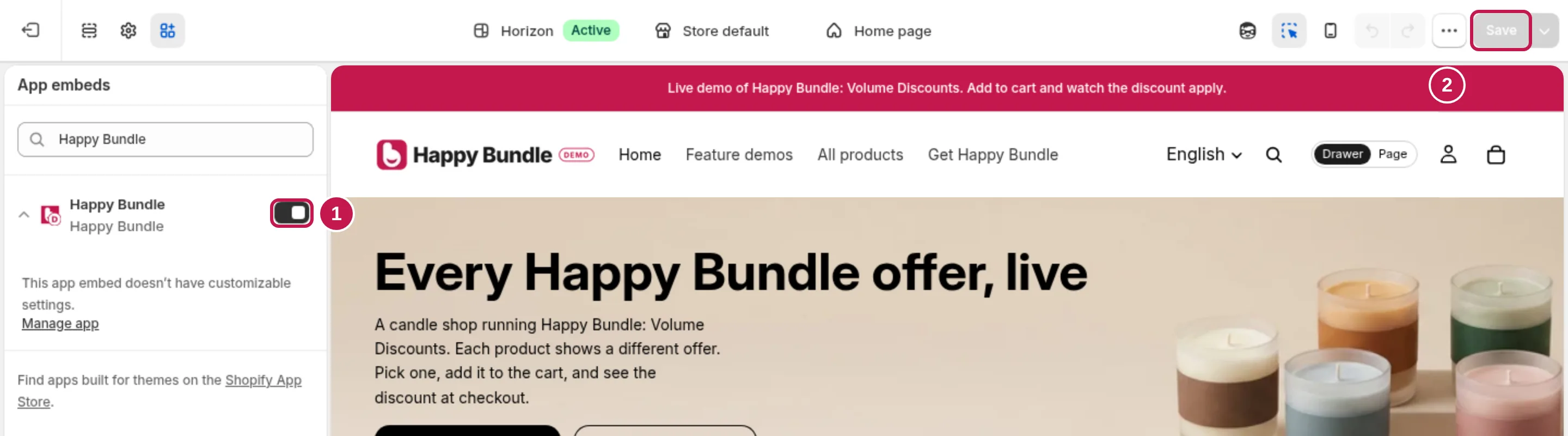
Your theme editor opens on App embeds with Happy Bundle already selected. Make sure its switch is on (1), then click Save (2) at the top right.
Done: offers show next to the add to cart button
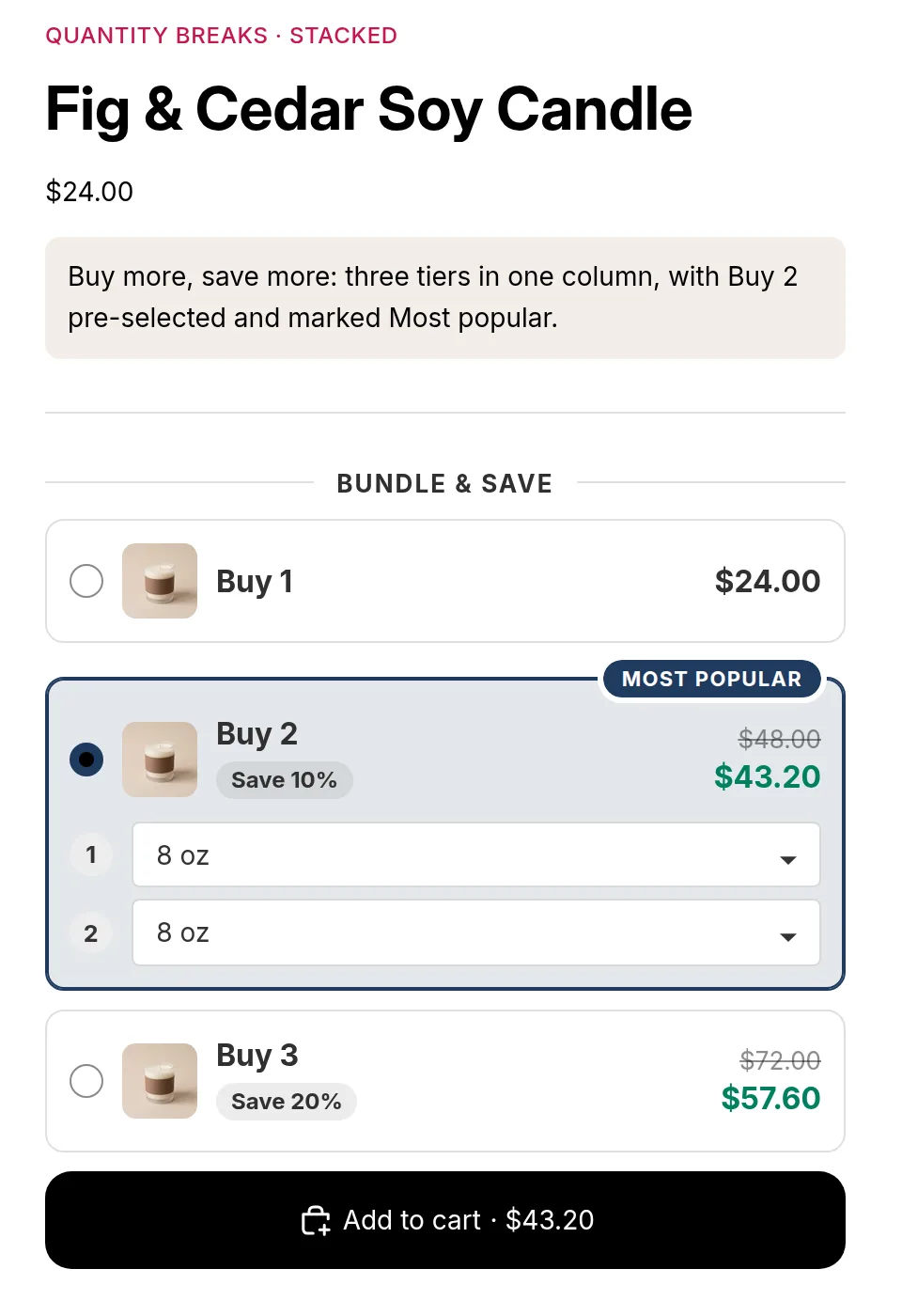
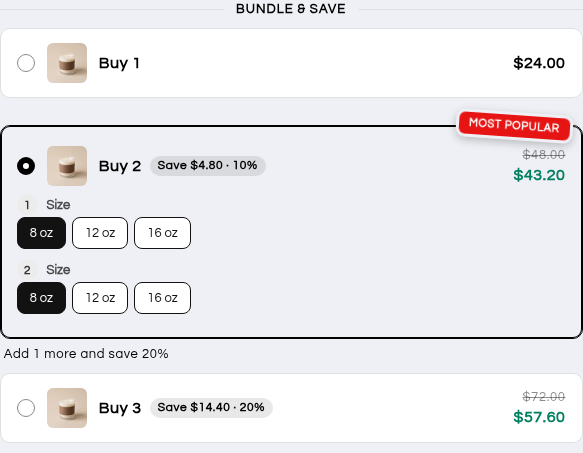
Open a product that has an offer. The offer sits above your theme's add to cart button.
The manual way
The same switch, found from your Shopify admin.
Open your theme editor
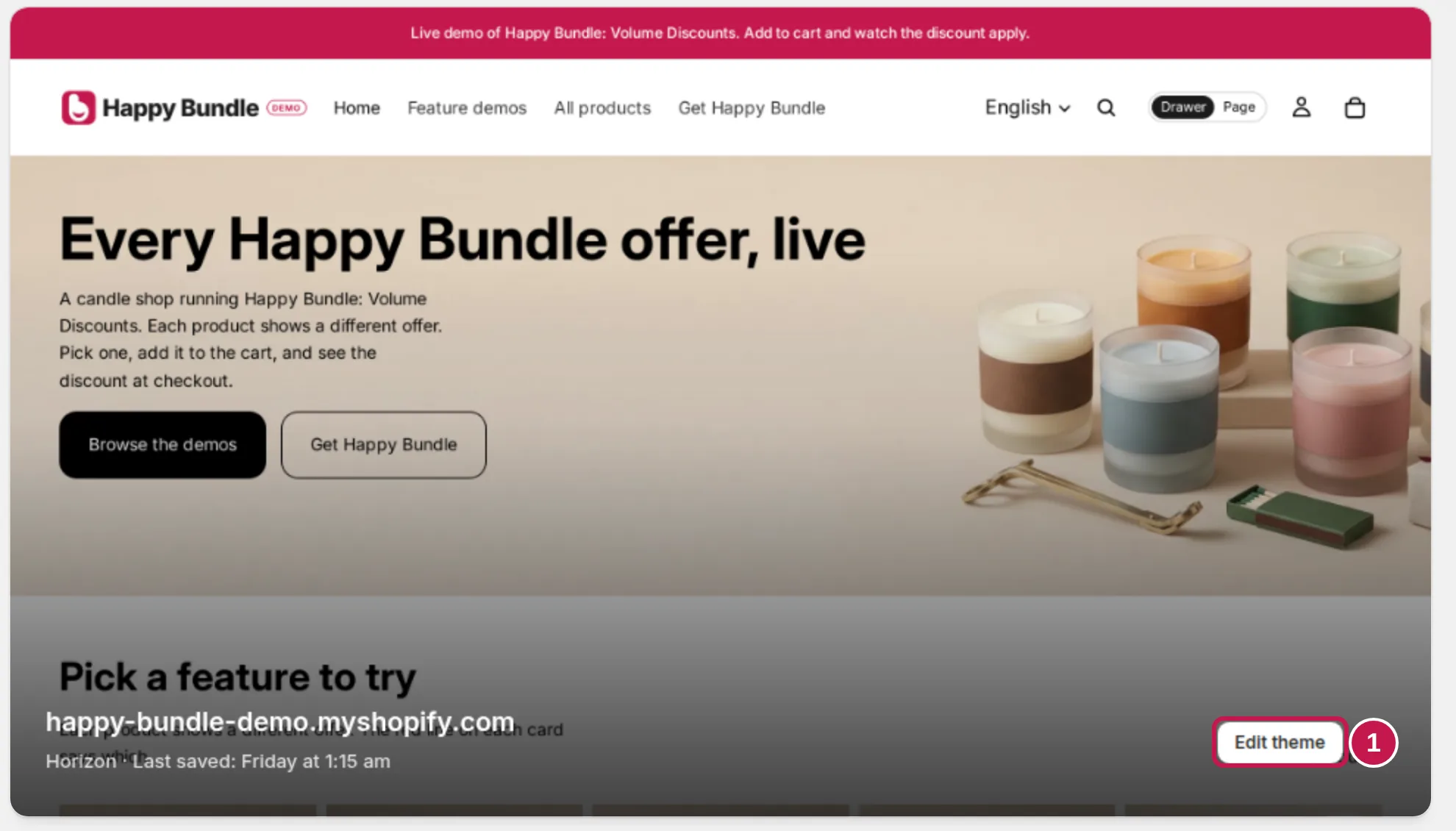
In Shopify admin, go to Online Store, then Themes. On your live theme, click Edit theme.
Open App embeds
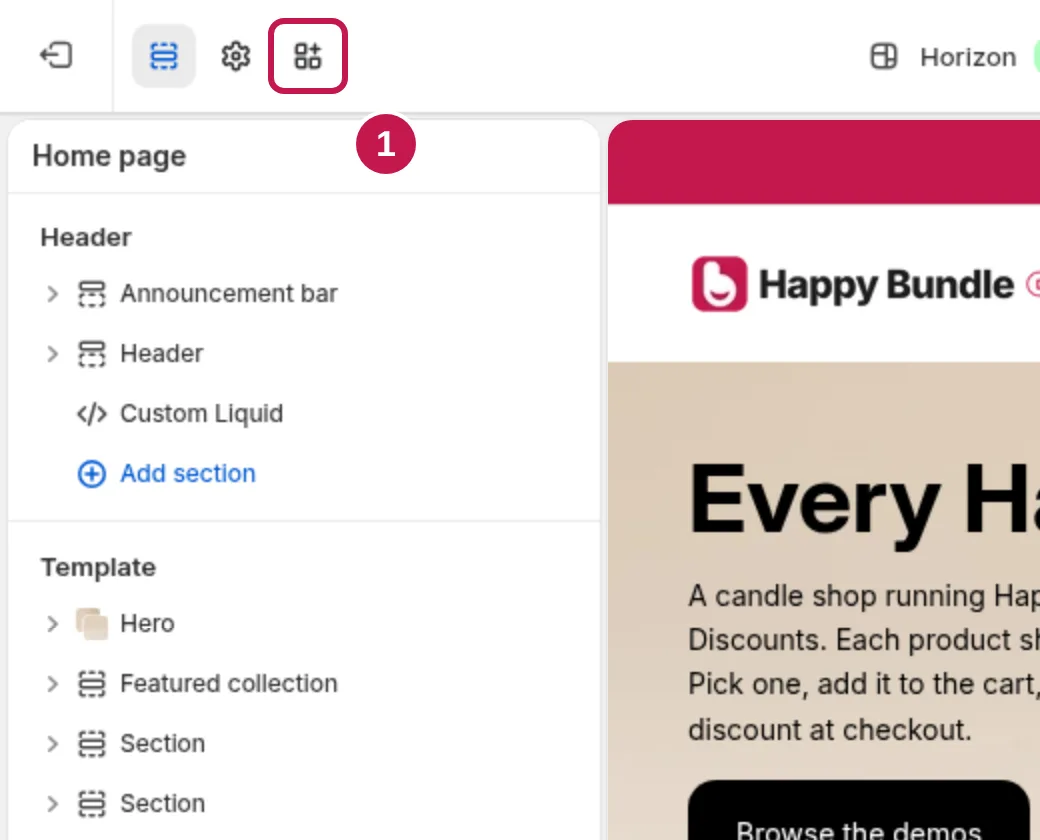
In the bar on the top left, click the App embeds icon (a grid of four squares with a plus).
Switch on Happy Bundle and save
Turn on the switch next to Happy Bundle, then click Save.
Optional: place the offer yourself
With the embed on, offers appear above the add to cart button. To put an offer somewhere else on the product page, add Happy Bundle's app block.
Add the block to your product template
In the theme editor, open a product page. In Product information, click Add block, open the Apps tab and pick the Happy Bundle block for your offer type: Volume Discount (quantity breaks), Fixed Bundle or Add-Ons.
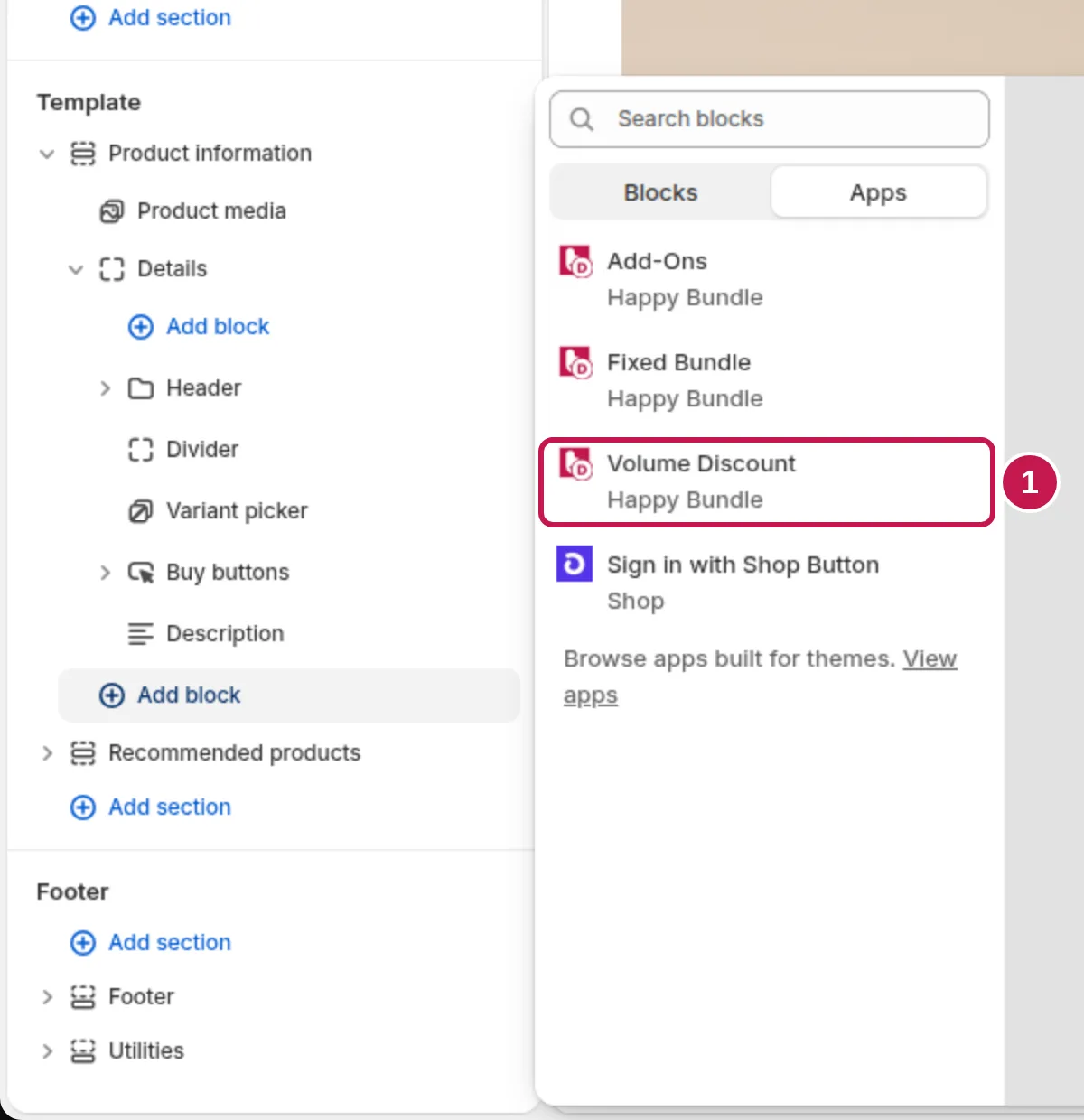
Drag it into place and save
Drag the block to where you want it in the list, then click Save. Your product page shows the offer there.
Make it look like your store
Copy your theme's look
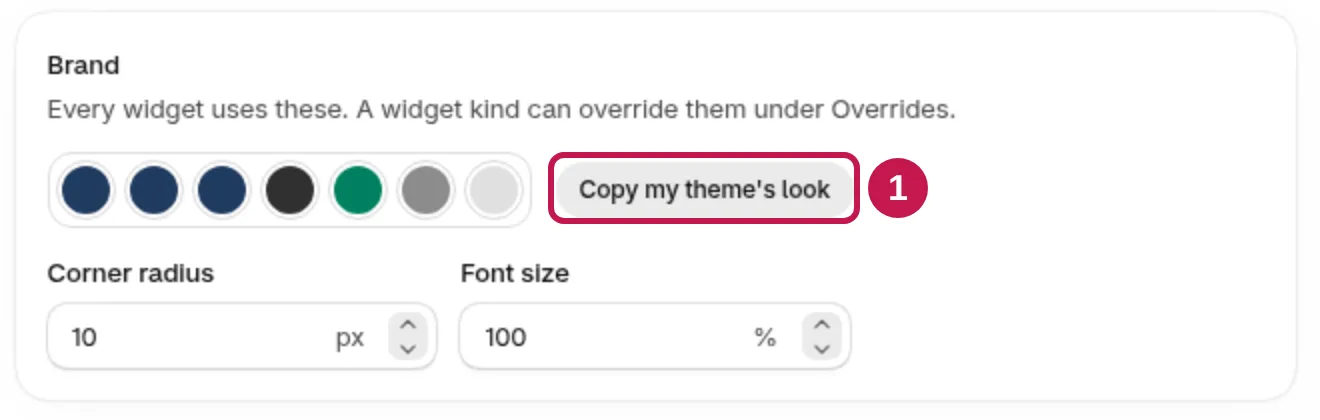
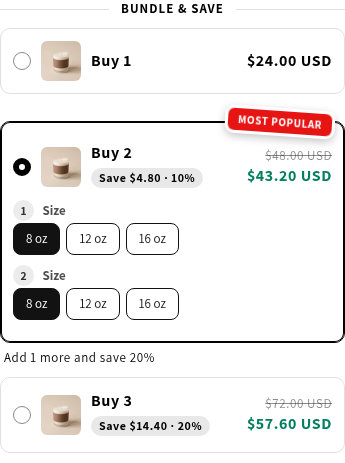
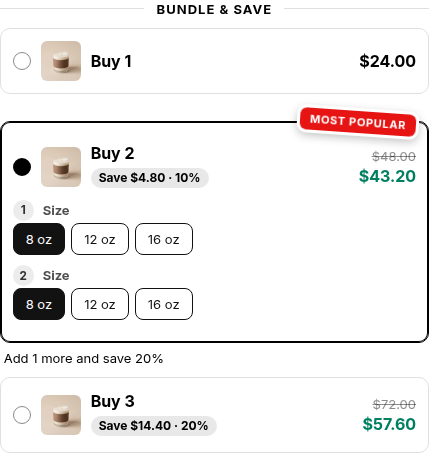
Offers use your theme's fonts. In Happy Bundle, open Design and click Copy my theme's look to copy your theme's colors and corners. You can still change colors, layout and badges by hand, and the preview shows the result on your own product.
Themes we test with
We test offers on Shopify's free Theme Store themes, including Horizon, Dawn, Refresh, Craft, Studio, Taste, Origin, Crave, Colorblock, Ride, Spotlight and Publisher. The offer needs a product template with an add to cart button: on the Trade theme's default product template, which has none, there is nowhere for the offer to show.
Read next
- Getting startedInstall to first offer
- Offer not showing?The checklist