
Help · getting started
Getting started with Happy Bundle
From install to your first live offer in four steps. You need a Shopify store with an Online Store theme.
Install the app
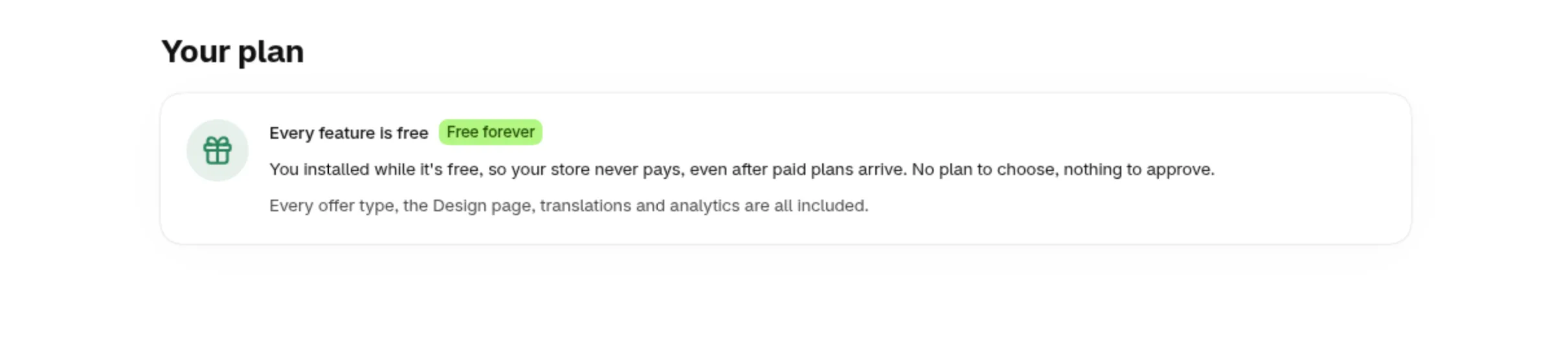
Install Happy Bundle from the Shopify App Store and open it from your Shopify admin. There is no plan to choose: every feature is free.
Turn on the app embed
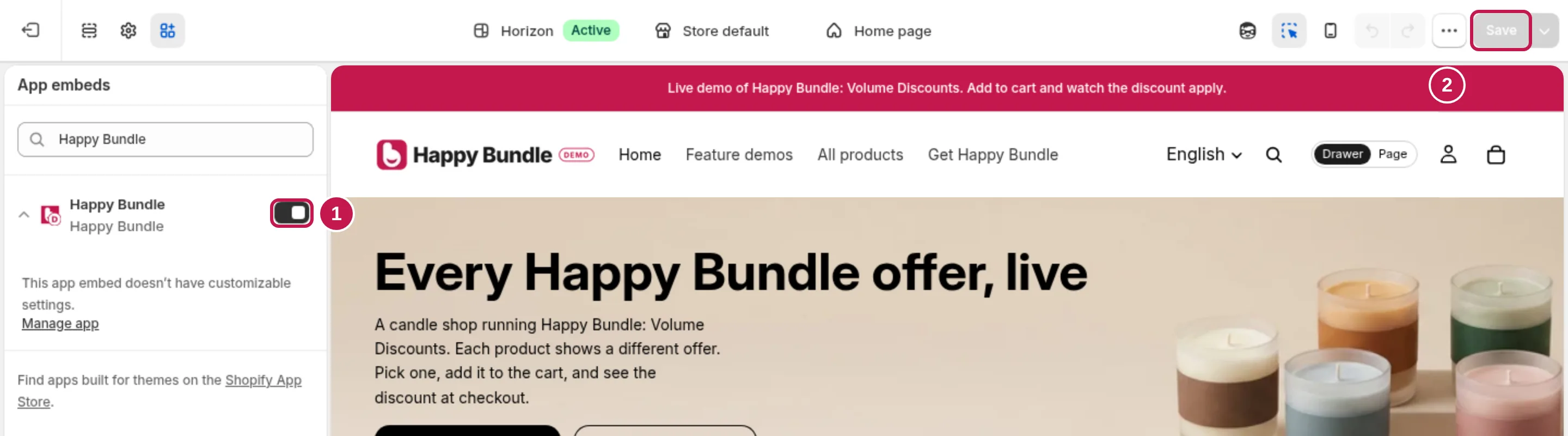
On Happy Bundle's Home, click Activate; your theme editor opens with Happy Bundle selected. Check the switch is on and click Save. Pictures of every click: theme setup.
Create your first offer
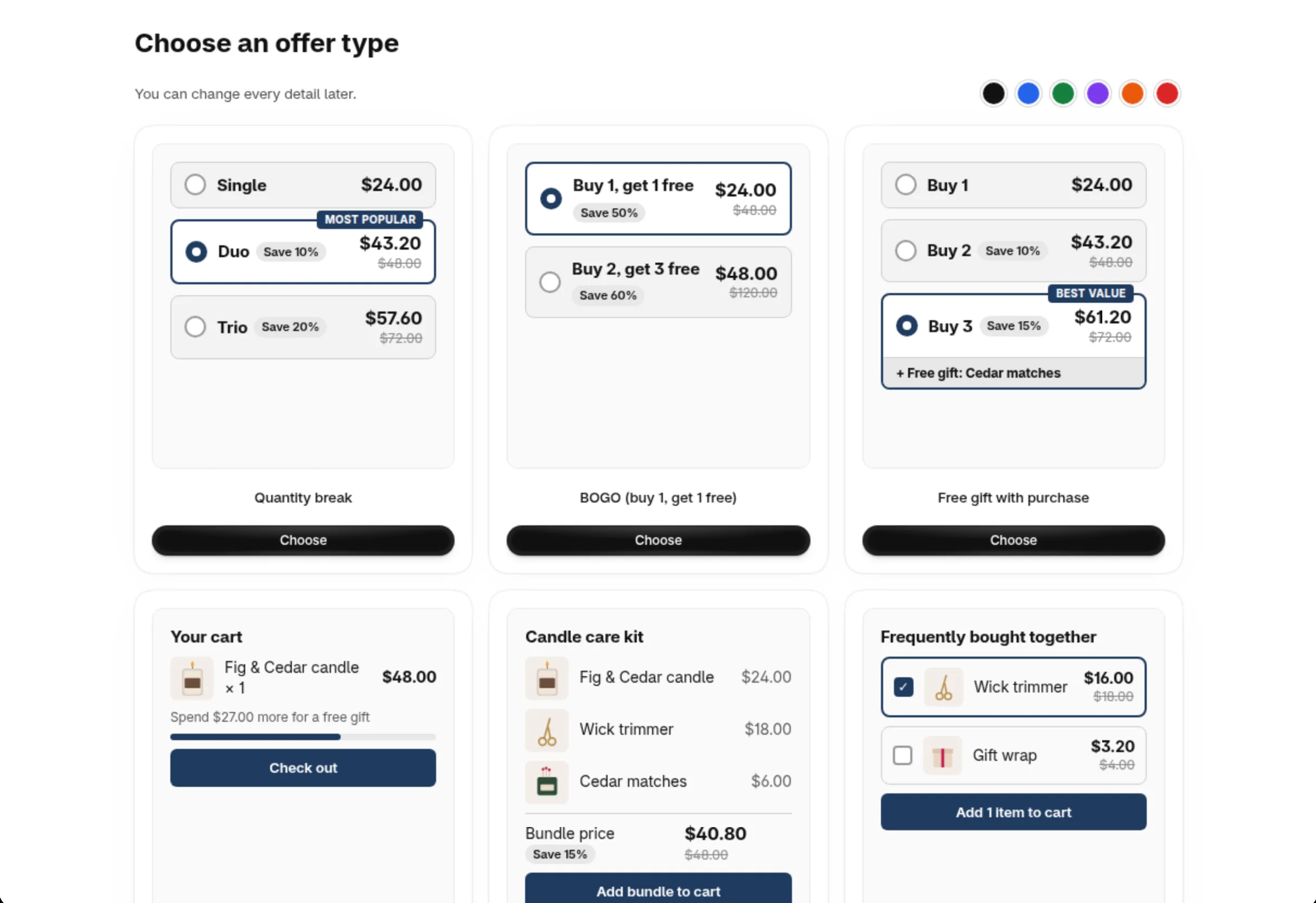
Choose Create offer and pick a type from the pictures: quantity break, BOGO, free gift, bundle and more.
Set it up, check the preview, publish
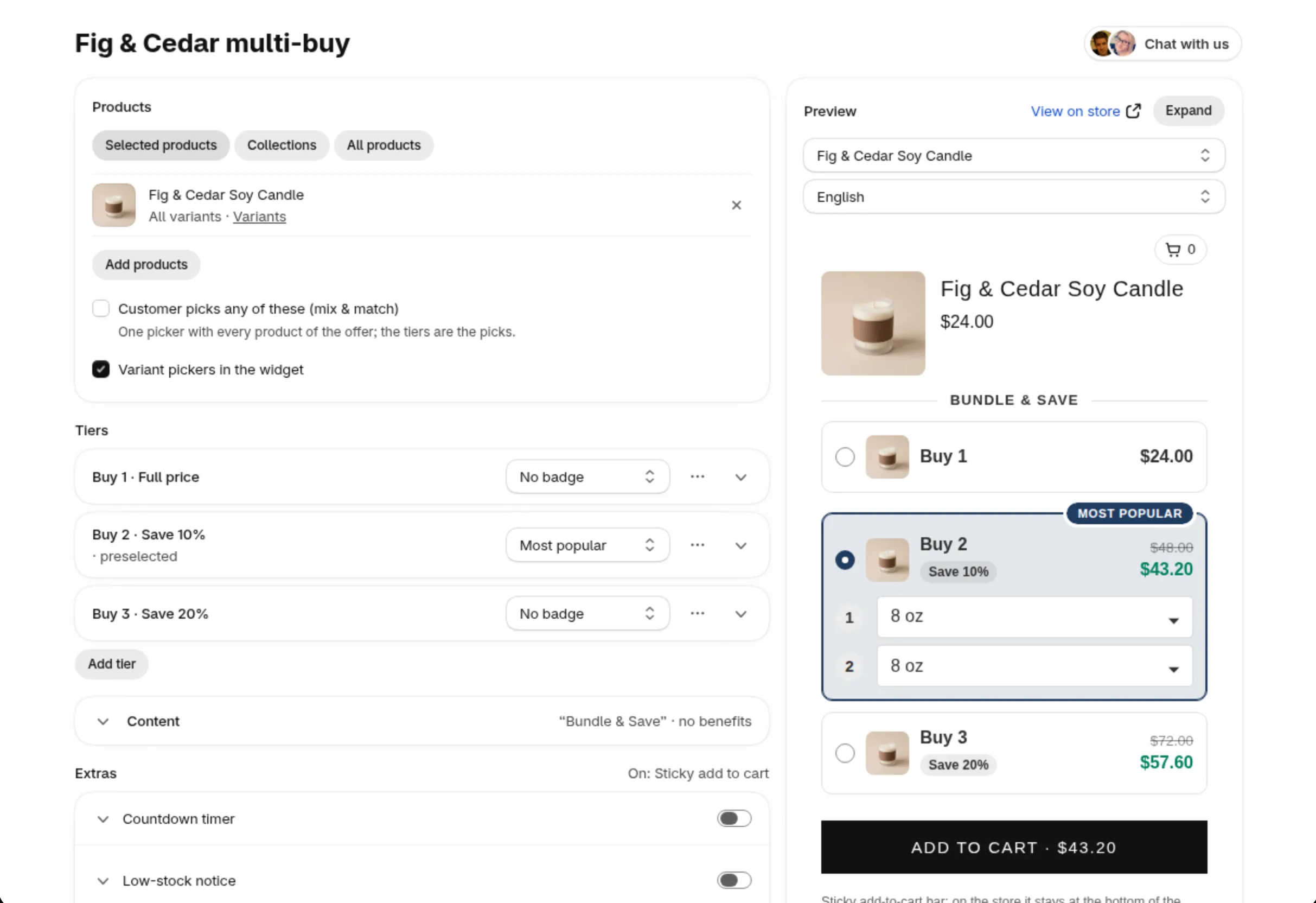
Choose the products and add your tiers, for example Buy 2 save 10%, Buy 3 save 20%. The live preview shows the offer on your own product. Publish, then open the product page on your store and add the offer to the cart.
Next steps
- In Design, click Copy my theme's look to copy your theme's colors and corners.
- Switch on the offer price on the add to cart button and the sticky bar if you want them.
- Check that your discount codes are set to combine with product discounts: discount codes and bundles.
- Run an A/B test once the offer has traffic.
Read next
- Help centerAll help pages
- Demo storeSee every offer live