
How to create a mix and match bundle on Shopify (2026)
Updated
To create a mix and match bundle on Shopify, install Happy Bundle, a free Shopify app, and create a Mix & match offer: choose the products or collections in the set and a tier, like any 3 for $30. Shoppers pick any 3 on the product page, each in its own size and color, and the set price applies at checkout.
happy
Free forever for stores that install now. Every feature, no revenue cap. If paid plans come later, they are only for new stores. Yours stays free.
Try mix and match on our demo store
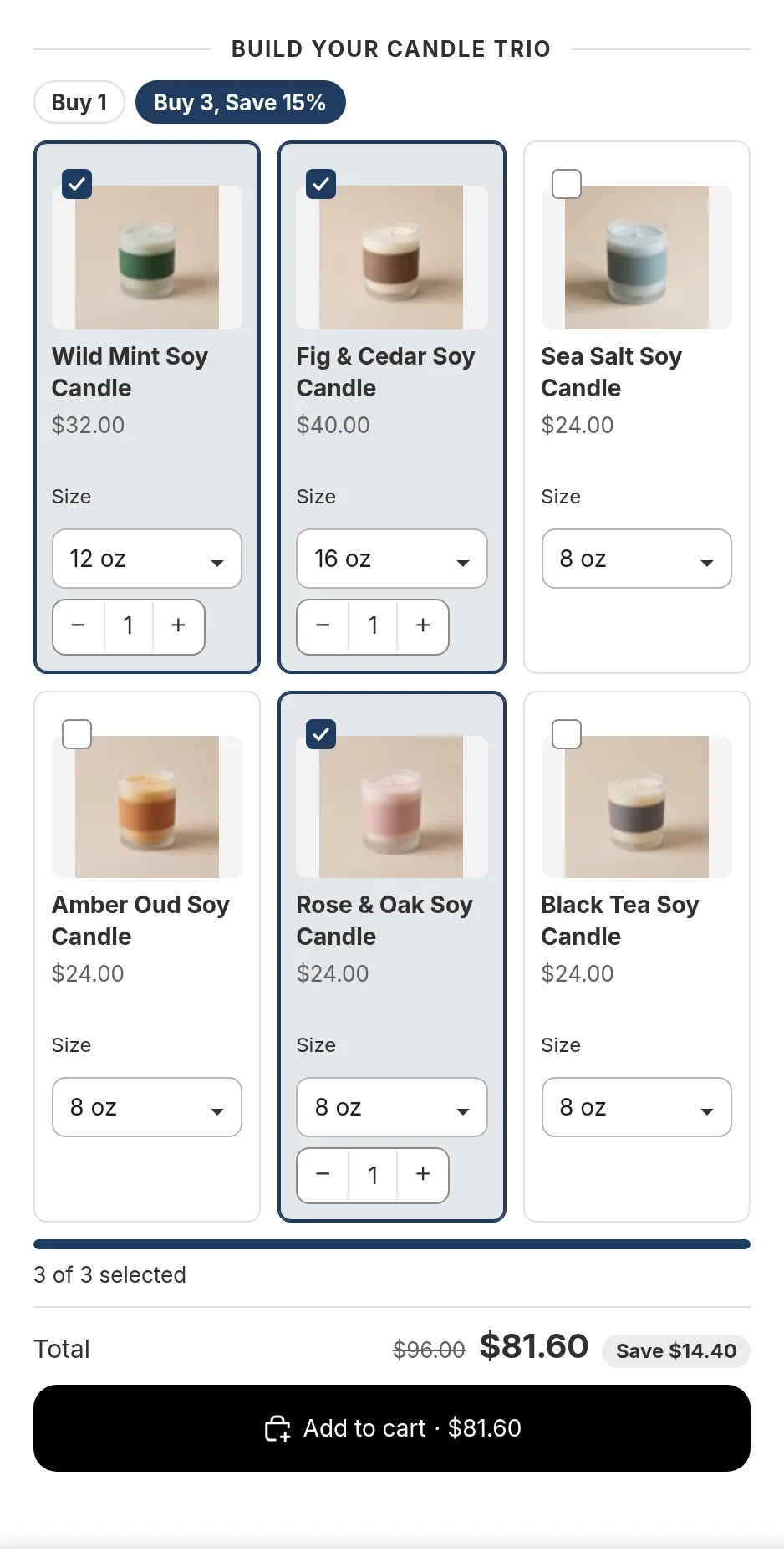
On our demo store, the Wild Mint Soy Candle shows Build your candle trio: shoppers tick any three of six scents, choose a size for each, and the Buy 3, Save 15% tier applies to the whole set.
After the password, the demo store opens on its home page: choose Feature demos in the menu, then Mix & match.
happyHow it works
In Happy Bundle, choose Mix & match when you create an offer. You choose the products or collections that belong to the set and the tiers, for example 3 for $30 and 6 for $55. On the page, shoppers add items with plus and minus buttons and pick a size and color for each. When they reach a tier, the set price shows and the add to cart button adds the whole set.
- Any mix of the products you chose, in any sizes
- Tier prices as a set price, percentage, amount off or free units
- The set price follows every pick, so the cart charges what the page showed
Mix and match ideas
Any 3 candles for $60
Every scent and size in the set counts toward the deal.
Pick 6 flavors
Snacks, teas or sauces, at a set price for six.
Socks: 3 for $25
Any color, any size, one price for three pairs.
Questions merchants ask
How do I set up mix and match on Shopify?
Shopify's own Shopify Bundles app does not support mix and match bundles, so you need an app. In Happy Bundle you create a Mix & match offer, choose the products or collections in the set and add your tiers.
Can I do any 3 for $30?
Yes. Give the tier of 3 items a set price of $30. Shoppers can pick any 3 items from the set, in any sizes.
Can each item be a different size?
Yes. Each item the shopper adds has its own size and color picker.
Do I need a separate box builder page?
No. Shoppers build the set on the product page itself, in one step, and add it to the cart from there. If you want one, the offer can also have its own build a box page.
How can customers mix and match products into a bundle on Shopify, like any 3 for $30?
Use Happy Bundle, a free Shopify app. Create a Mix & match offer, choose the products in the set and give the tier of 3 a set price of $30. Customers pick any 3 on the product page, each in its own size, and add the set to the cart in one click.
Read next
- Build a boxThe set on its own page
- Volume discountsTiers on one product
- Product bundlesA fixed set at one price
- Sizes and colors in bundlesHow the pickers work
Try Happy Bundle on your store
Install it from the Shopify App Store and create your first offer. Free forever for stores that install now. Every feature, no revenue cap. If paid plans come later, they are only for new stores. Yours stays free.
happy