
Volume discounts that let shoppers pick a size and color for each item
Show Buy 1, Buy 2 and Buy 3 on your product page. Shoppers choose a tier, pick a size and color for every item in it, and Shopify charges the tier price in the cart and at checkout.
happy
Free forever for stores that install now. Every feature, no revenue cap. If paid plans come later, they are only for new stores. Yours stays free.
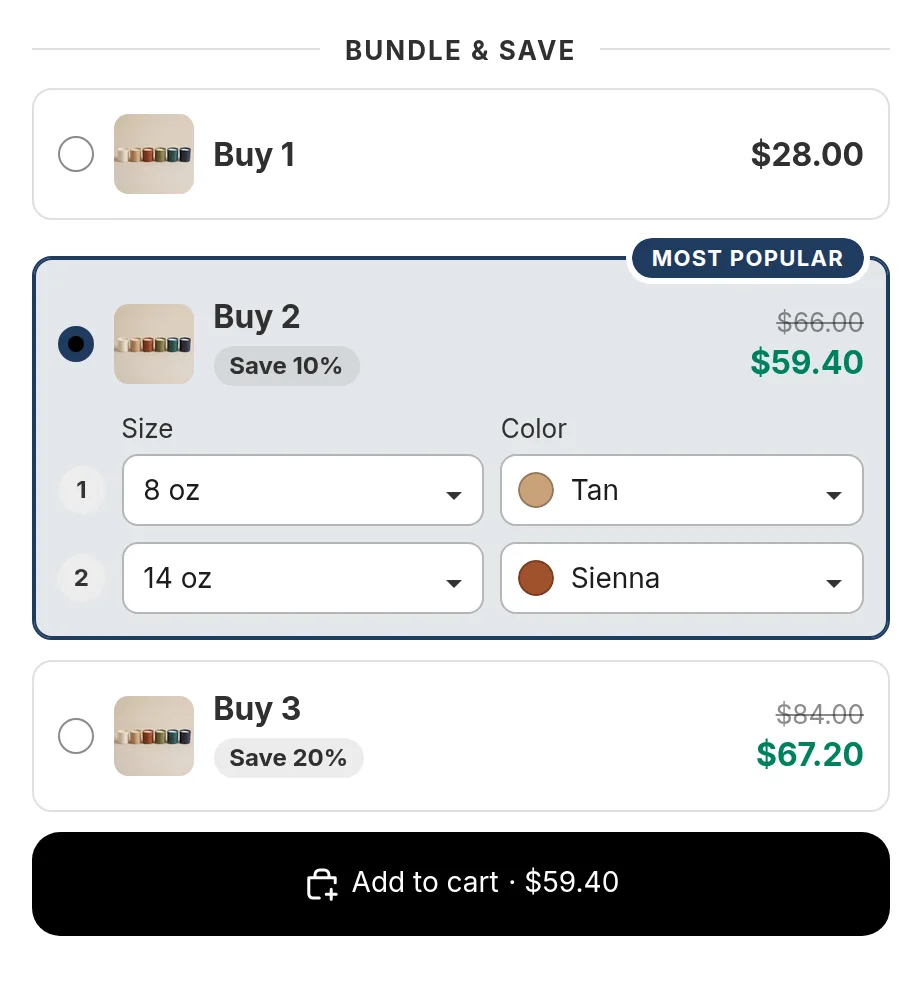
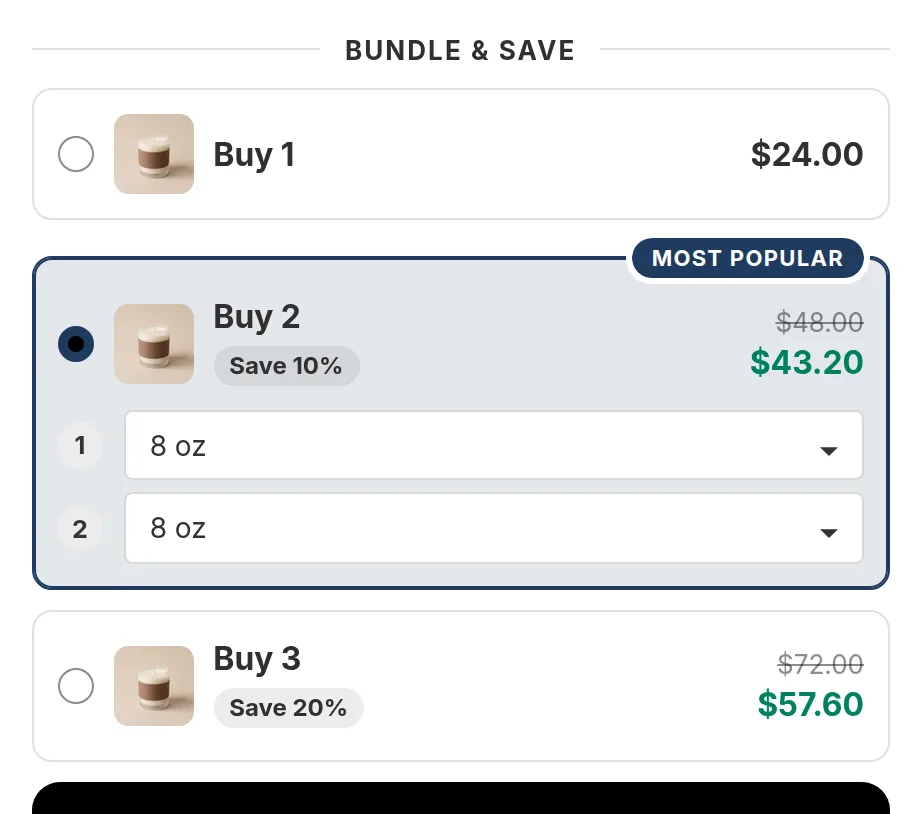
Set the tiers your way
Each tier can take a percentage off, an amount off, a set price for the whole tier (3 for $25) or free units (buy 2, get 1 free).
- Mark one tier as Most popular or Best value
- Show the saving as a percentage or as money
- Stacked, card or compact layouts, with product pictures
- Put the offer on one product, a collection or the whole store
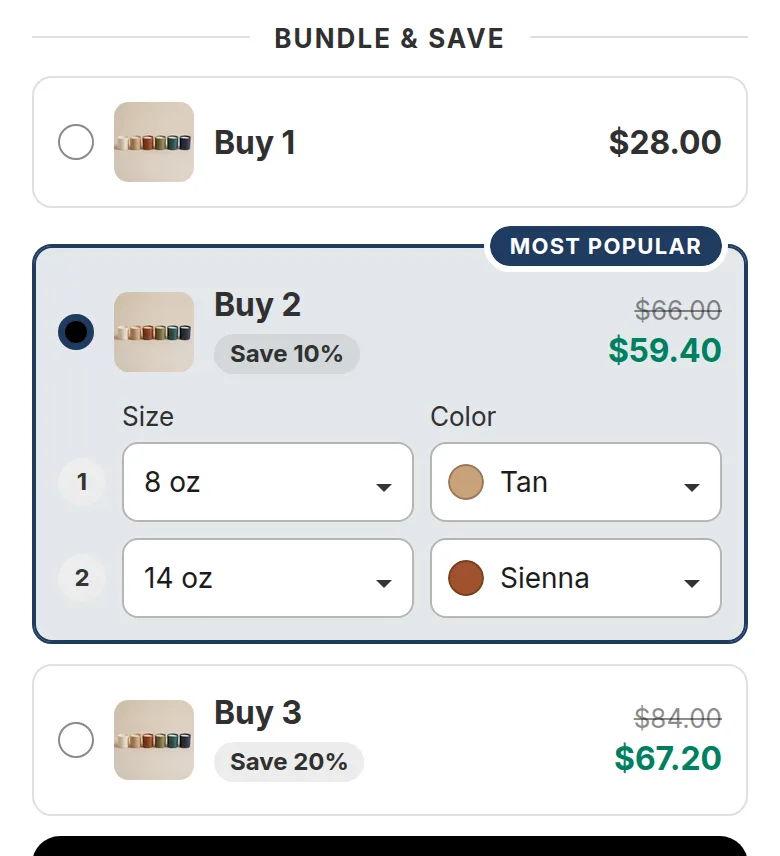
A size and color for each item
Many quantity break widgets make every item the same variant. In Happy Bundle a shopper who buys three shirts can choose small, medium and large in three colors, in one tier.
Sold-out sizes are marked and cannot be picked, or you can hide them. If one size costs more, the tier price updates as the shopper picks it, so the page shows what the cart will charge.
Read more in sizes and colors in bundles.
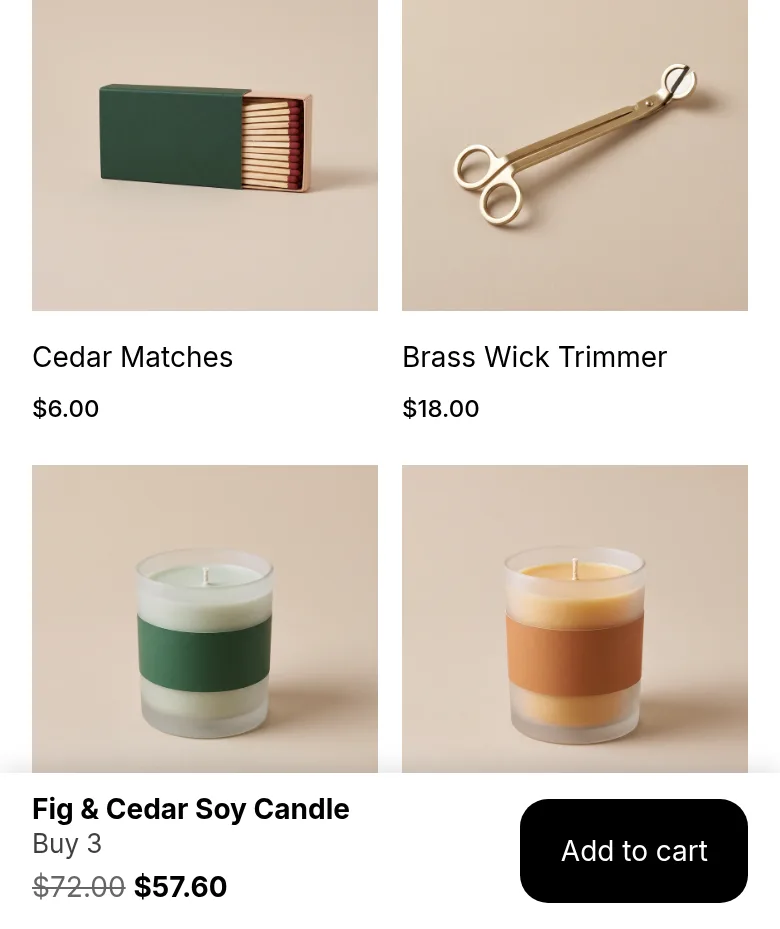
The offer price where shoppers look
You can show the chosen tier's price on your theme's own add to cart button, and turn on a sticky add to cart bar that keeps the offer and its price in view while the shopper scrolls. Both are switches in the app and start switched off.
Set up a quantity break in three steps
- Install Happy Bundle and turn on its app embed in your theme editor.
- Create a quantity break: choose the products, add your tiers and check the live preview.
- Publish. The offer shows on the product page and the discount applies at checkout.
Good to know
- One quantity break shows per product. If two could apply, the most specific one wins: a product offer beats a collection offer, which beats a store-wide offer.
- Quantity breaks also apply when a shopper adds the items another way, for example from an add button on a collection page, as long as the cart reaches a tier. You can switch this off.
- Prices show in each shopper's currency, and offer text shows in the shopper's language.
- Quantity breaks work with subscribe and save selling plans: the tier price is taken off the plan price.
- Want to check the numbers first? Try the quantity break calculator.
Questions merchants ask
What is a quantity break on Shopify?
A quantity break is a lower price per item when a shopper buys more of the same product, for example Buy 2 and save 10%, Buy 3 and save 20%. It is also called a volume discount or tiered pricing. Shopify has no built-in tiers for regular online store customers, so stores use an app such as Happy Bundle.
Can shoppers choose a different size for each item in the tier?
Yes. In Happy Bundle each item in a tier has its own size and color picker, and the price follows each pick.
Does the volume discount work with my discount codes?
Yes, when the code is set to combine with product discounts in Shopify. Order discount codes and free shipping codes then apply on top. See discount codes and bundles.
Does Happy Bundle change my product prices?
No. Your product prices stay as they are. The saving is a discount that Shopify applies to the cart line.
What does it cost?
Free forever for stores that install now. Every feature, no cap. If paid plans come later, they are only for new stores. See pricing.
Read next
- Buy one get oneBuy 2, get 1 free as a tier
- Mix and matchAny 3 from a set, each in its own size
- Best quantity breaks appsFeature by feature, dated
- Volume discount not working?What to check, step by step
Try Happy Bundle on your store
Install it from the Shopify App Store and create your first offer. Free forever for stores that install now. Every feature, no revenue cap. If paid plans come later, they are only for new stores. Yours stays free.
happy